Page 1 of 2
ABE driving me crazy
Posted: Sun Jul 01, 2012 3:33 pm
by 7leagues
I have been using NoScript for years and it used to be very simple for anyone but I find it has become extremely complicated often destroying the browsing experience, especially when it comes to filling out forms and submitting them only to find that NoScript blocked the sending and the form gets emptied.
My latest problem is that I have not got a clue what this ABE is. I regularly visit a news site at
www.rense.com but after the last NoScript update the page gets ripped to shreds with a message at the top of the page:

This happens despite my having authorized the entire page. The most annoying part of this is that ALL videos on the page vanish. If I click the Options button at the right it opens NoScript's options and presents me with something I cannot comprehend:
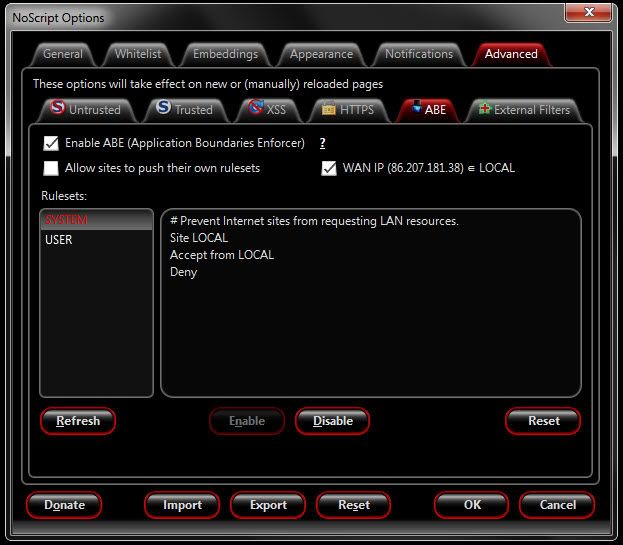
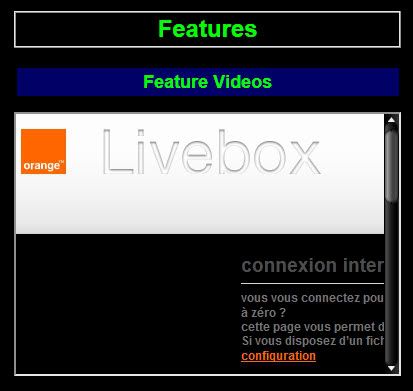
And to add even more confusion to the matter, if I click on the Disable button and refresh the page ALL videos that are supposed to be on the page get replaced with the configuration screen for my ADSL router (Orange Livebox):
Can anyone tell me how to restore the rense.com site to its former glory please?
Re: ABE driving me crazy
Posted: Mon Jul 02, 2012 6:10 am
by Thrawn
It sounds like something has gone wrong with your local IP address. ABE is reporting that rense.com is attempting to send a request to a site on your local network (your router, in this case). Can you check what your router's IP is and report the first block of digits here (you don't have to post the whole thing)?
I'm particularly curious about why ABE is seeing a request from rense.com to http://livebox/setupAccessType.html; is rense.com actually sending this? Do you have some kind of local media player installed that this site is using?
Re: ABE driving me crazy
Posted: Mon Jul 02, 2012 7:44 am
by 7leagues
Thrawn wrote:It sounds like something has gone wrong with your local IP address. ABE is reporting that rense.com is attempting to send a request to a site on your local network (your router, in this case). Can you check what your router's IP is and report the first block of digits here (you don't have to post the whole thing)?
I'm particularly curious about why ABE is seeing a request from rense.com to
http://livebox/setupAccessType.html; is rense.com actually sending this? Do you have some kind of local media player installed that this site is using?
The first block of my IP address is 192.
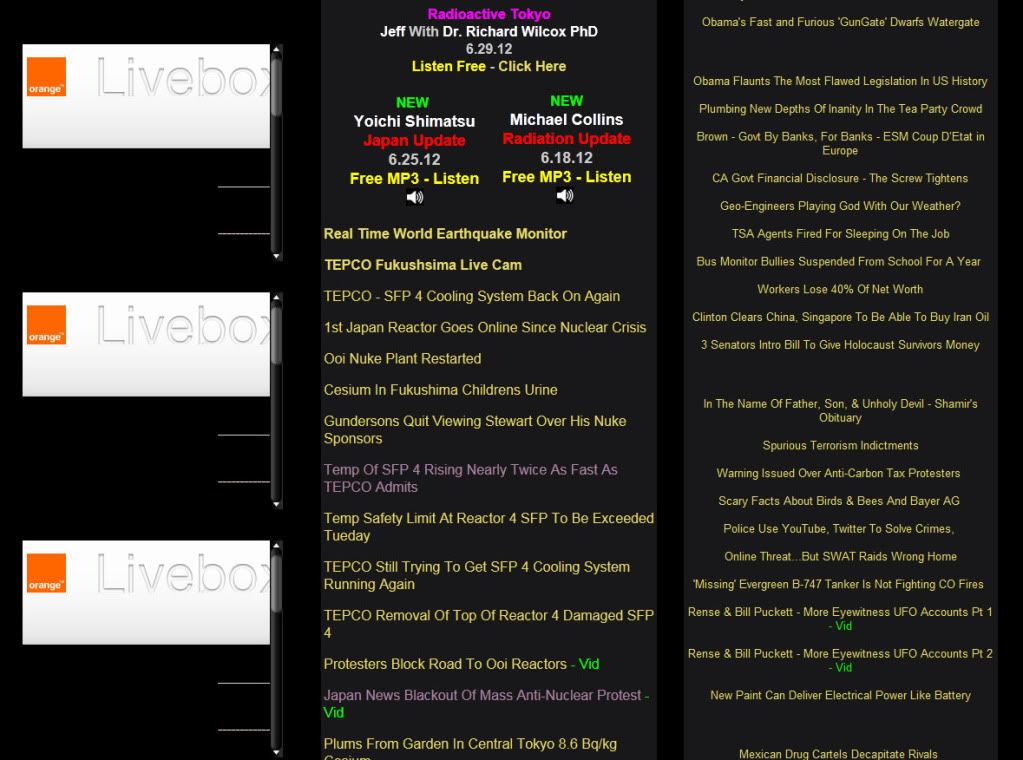
I have nothing to do with rense.com other than being a visitor to the site. It is obviously connected to all .flv content so maybe it has something to do with Adobe Flash Player although it doesn't do it in Internet Explorer and it started when NoScript last auto-updated. My router (Orange Livebox) config page appears where ALL .flv content is supposed to display but does not appear to be affected by .swf's:
Re: ABE driving me crazy
Posted: Mon Jul 02, 2012 10:26 am
by Thrawn
OK, so I've looked at the page source, and it looks like what's being blocked by ABE is some iframes at http://this.served.by.adshuffle.com, which resolves to 168.75.207.20. That's not a private address, so I'm not sure why ABE would be blocking it...and it shouldn't point to your router, either. Very weird.
Have you tried a clean
profile?
And btw, you may want to consider an ad blocker...up to you.
Re: ABE driving me crazy
Posted: Mon Jul 02, 2012 11:01 am
by 7leagues
I have another profile but I don't know how to access it. I did not like the Profile Manager opening every time I launched Firefox so I stupidly checked the box for 'Don't ask me next time' because I thought it would be possible to switch from within the browser itself.
According to Mozilla it can be done by selecting Tools > Switch Profile but there is no such option in the Tools menu. I think their FAQ is for a very outdated version.
I use AdBlock but due to the problem encountered on the rense.com site I allowed everything. The ads don't bother me though because they are mostly found at the top of the page whereas I only read the links to new articles and those start about ⅓ of the way down.
So is there no way to stop ABE from doing this?
Edit: Adobe have released a new version of Flash player so I installed that with great hopes. Regretfully, it is still the same.

Re: ABE driving me crazy
Posted: Mon Jul 02, 2012 12:18 pm
by therube
> it can be done by selecting Tools > Switch Profile
That would be in SeaMonkey

.
Something like that would be too difficult for a FF user.
Plus FF users aren't supposed to know what a "Profile" is. (Again the "difficulty" factor.)
I believe FF has some sort of "profile manager" extension, or the are working on developing one. (A little thing 14 MB or so, from what I recall

.)
Open a C: prompt in your FF install directory, so if that might be "C:/Program Files/Firefox", & type in: firefox.exe -P, or you could add the -P to the FF shortcut on your desktop.
Re: ABE driving me crazy
Posted: Mon Jul 02, 2012 12:35 pm
by therube
> ALL videos on the page vanish
All the videos on what page?
As far as I can see rense has no videos, only links to other sites that host the videos?
> Do you have livebox?
Yes,
Orange Livebox.
Re: ABE driving me crazy
Posted: Mon Jul 02, 2012 1:23 pm
by dhouwn
therube wrote:I believe FF has some sort of "profile manager" extension, or the are working on developing one. (A little thing 14 MB or so, from what I recall
.)
It's a standalone application. Download link and documentation can be found at:
https://developer.mozilla.org/en/Profile_Manager
therube wrote:Open a C: prompt in your FF install directory, so if that might be "C:/Program Files/Firefox", & type in: firefox.exe -P, or you could add the -P to the FF shortcut on your desktop.
Alternatively, right-click on a Firefox shortcut, go to "properties", copy the "target", press windows-key + R, paste what you copied and add " -P <profilename>" (note the spaces; the built-in profile manager will open if you specify no profile) to start with the particular profile (you might want to add " -no-remote" to start it while another Firefox instance with another profile is running) and press OK.
Re: ABE driving me crazy
Posted: Mon Jul 02, 2012 3:56 pm
by 7leagues
Thanks for the tip on using "-no-remote". That got me back into my second profile. So I can confirm that with a new profile and only NoScript installed the rense.com site displayed perfectly after authorizing the whole page. So does this mean my main profile is corrupt or is it a case of incompatibility with another extension?
no-remote catch for default processes
Posted: Tue Jul 03, 2012 12:34 pm
by NoRemoter
Bearing in mind that the -no-remote switch means kinda "don't accept any requests from remote processes and vice versa" you can get into trouble if you start your default profile with the -no-remote switch... eg when going for a link in email... your helpful notice will be that Firefox is already running and not responding, and vice versa if you want to open something external, it won't.
The advice is to never start your default P with -no-remote if you're a weekend dabbler, and to read up on the -no-remote switch if you plan to use it regularly.
Another way of saying this is... don't rely on a session running 2 or more separate Fx profiles for anything mission critical if you haven't tested carefully.
But I love the facility and will cry if the facility has to be managed with a third-party clamp-on.
Re: ABE driving me crazy
Posted: Tue Jul 03, 2012 1:22 pm
by 7leagues
@NoRemoter
I only used it once so that I could uncheck the box that stops the Profile Manager from launching normally.
I would still like to know where the Switch Profile option is in Firefox 13.0.1 because it ain't where Mozilla claims it is?
Re: ABE driving me crazy
Posted: Tue Jul 03, 2012 3:05 pm
by therube
A '-P' alone on the shortcut command line will cause Profile Manager to open regardless of whether you had checked the box in the past or not.
When you did check the box, that affected the file, profiles.ini (found in %APPDATA%/roaming/Mozilla/Firefox/), setting the value of StartWithLastProfile= to 1. If you wanted to undo that, you could (exit FF) edit that file with a text editor & set it to StartWithLastProfile=0
> The advice is to never start your default P with -no-remote
There's no real reason to say that. The "default" is immaterial. So long as one Profile, regardless of which one, is started without the -no-remote switch you won't run into the issue you mentioned (& depending, you may not run into them anyway).
Re: ABE driving me crazy
Posted: Tue Jul 03, 2012 7:20 pm
by GµårÐïåñ
This is what I mentioned in another post. Your DSL modem was in the middle of a reboot or getting a new IP or crashed or whatever and since the IP was lost and you got nothing but a local IP until it gets a WAN IP, ABE correctly detects any interaction with the site, any site, as a LOCAL trigger. I suggested in my post to fix this just wait until your mode is back up and then close the tab and open a new one or close the browser and restart it and you will be fine. There is also a possibility, although it might be unlikely that the site is actually making a LOCAL access attempt but I didn't encounter that on my test, so probably not the issue.
Also when asked for your IP, the meaning is not your LOCAL class C private LAN ips that are either 192.168.0.0/16 or 10.10.0.0/16, those are local and have no internet access. You have a WAN IP that gives you internet access and your router is using NAT to manage your local machines with internal IPs and their access to the web. So a 192.168.x.x address is not a WAN or internet IP address, just a local one.
Re: ABE driving me crazy
Posted: Tue Jul 03, 2012 7:26 pm
by 7leagues
How do I locate the WAN ip please GµårÐïåñ?
Re: ABE driving me crazy
Posted: Tue Jul 03, 2012 7:39 pm
by GµårÐïåñ
First off, your WAN IP is (86.207.178.242) and your ISP designation for it is (AClermont-Ferrand-551-1-231-242.w86-207.abo.wanadoo.fr).
Second, the easiest way I suppose is for you to go to a website such as (
http://www.whatismyip.com/) and it will tell you the public facing WAN IP of where you are coming from.
Finally, if you have some tech savvy and want to know a bit more (don't do this unless you know what you are doing, you break it you are on your own and have to contact your ISP to fix it) then you can go to the WAN management interface of your router and find out any time. Normally, depending on which model router/modem you have, its either 192.168.1.1 or 192.168.0.1 or something similar (Linksys/Cisco, Netgear, and D-Link tend to screw with this and use their own variations) and also the ISP can designate something else by default for you. If you are not sure which, its listed as your gateway on your network adapters connection. Open a command prompt and type
ipconfig and the address that shows up under your "Default gateway" is your management interface. You can type that address in your browser and then depending on what router/modem you have, you can consult the manual to find out what's where, but usually on the status page of it, you'll see your WAN IP.
Hope that helps.