Page 1 of 1
Formatting problems up in 'High Contrast' mode
Posted: Wed Jan 21, 2026 10:22 am
by Laurens
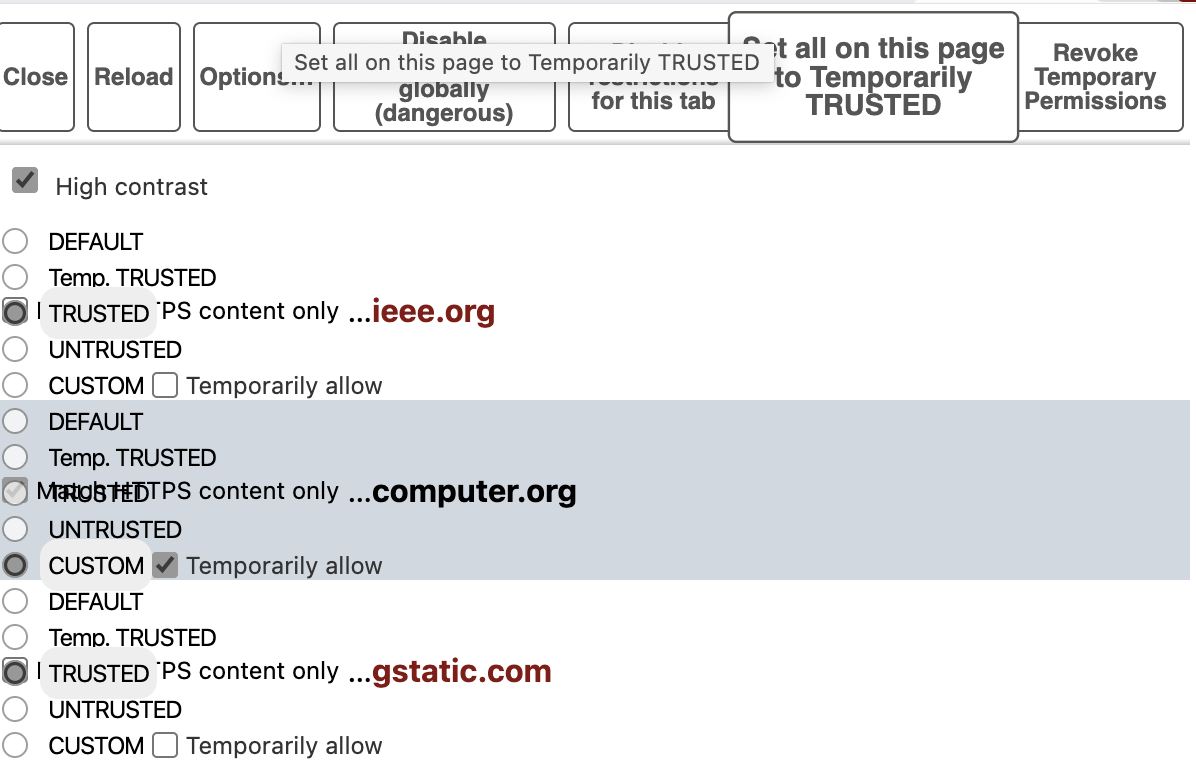
Long time (decade+) NoScript user, but I have to use the High Contrast mode because the icons remain to unfathomable to me.
NoScript 13.5.10 on Brave on macOS
Seems like recently the formatting is messed up.
Settings issue at my end?
Re: Formatting problems up in 'High Contrast' mode
Posted: Wed Jan 21, 2026 4:37 pm
by therube
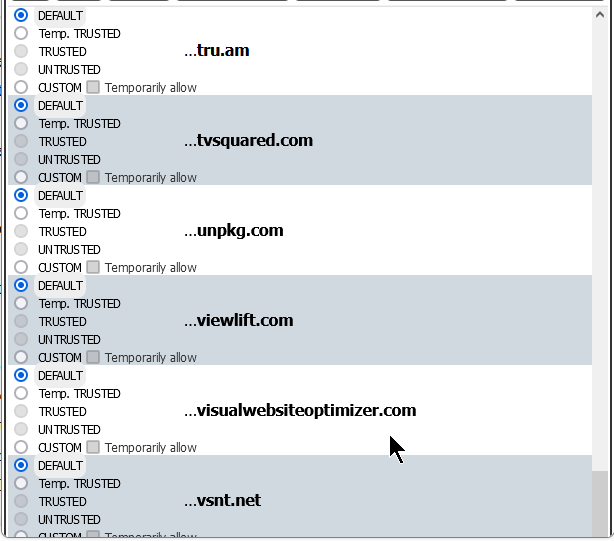
This is what I get, Windows 7, this page:
https://www.cnbc.com/2026/01/20/stock-m ... dates.html
fuller shot:
https://i.postimg.cc/rcQsHbS9/noscript- ... ntrast.png
I'll note, that the very last domain, vsnt.net in this case, is actually cut off, slightly.
The 'Custom' selection only partially displays.
(Not really a big deal, as selecting it & it opens correctly.
And then deselecting it, & it is then also OK.)
Re: Formatting problems up in 'High Contrast' mode
Posted: Fri Jan 23, 2026 7:57 pm
by barbaz
Fixed in
latest development build? -
https://noscript.net/getit/#devel wrote:v 13.5.10.901
============================================================
x Fixed high-contrast regression (thanks Laurens for
reporting)
