Google Analytics web bugs are blocked automatically, unless google-analytics.com has been explicitly whitelisted (better than No Google Analytics, because NoScript blocks every cross-site request to GA, no matter the type or the file name).
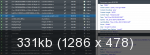
They are not blocked at all web-sites. For example I can see in Net log access to the google-analytics.com here rambler.ru
Mozilla/5.0 (Windows NT 6.1; WOW64; rv:26.0) Gecko/20100101 Firefox/26.0
What's "Net log"?
May I see a screenshot of your NoScript menu on that site? (I cannot even see google-analytics listed there unless I allow the top site, because it's added dynamically).
Giorgio Maone wrote:
May I see a screenshot of your NoScript menu on that site? (I cannot even see google-analytics listed there unless I allow the top site, because it's added dynamically).
Mozilla/5.0 (Windows NT 6.1; WOW64; rv:26.0) Gecko/20100101 Firefox/26.0
Giorgio Maone wrote:
May I see a screenshot of your NoScript menu on that site?
What tab?
The menu which is opened bt hovering the NoScript icon while you're on the page where the issue happens.
The email address is that one, which I had to edit out from your post for obvious antispam reasons.
Giorgio Maone wrote:
The menu which is opened bt hovering the NoScript icon while you're on the page where the issue happens.
Ok. This shows me what I forgot - add to untrusted.
You don't need that, unless you previously "Allowed Scripts Globally (dangerous)".
Did you?
rtsj wrote:
But you wrote:
Google Analytics web bugs are blocked automatically
that's why i thought that nothing special we must do.
In facts, by NoScript's factory settings (default deny) google-analytics.com, like any other site not explicitly whitelisted, is blocked out-of-the-box.
Giorgio Maone wrote:
You don't need that, unless you previously "Allowed Scripts Globally (dangerous)".
Did you?
Yes.
Now seems to be all is Ok, Giorgio. I changed noscript.untrusted manually, maybe there were errors.
Web-site google-analytics.com is blocked after adding it to untrusted by pressing a button from context menu.
Mozilla/5.0 (Windows NT 6.1; WOW64; rv:26.0) Gecko/20100101 Firefox/26.0